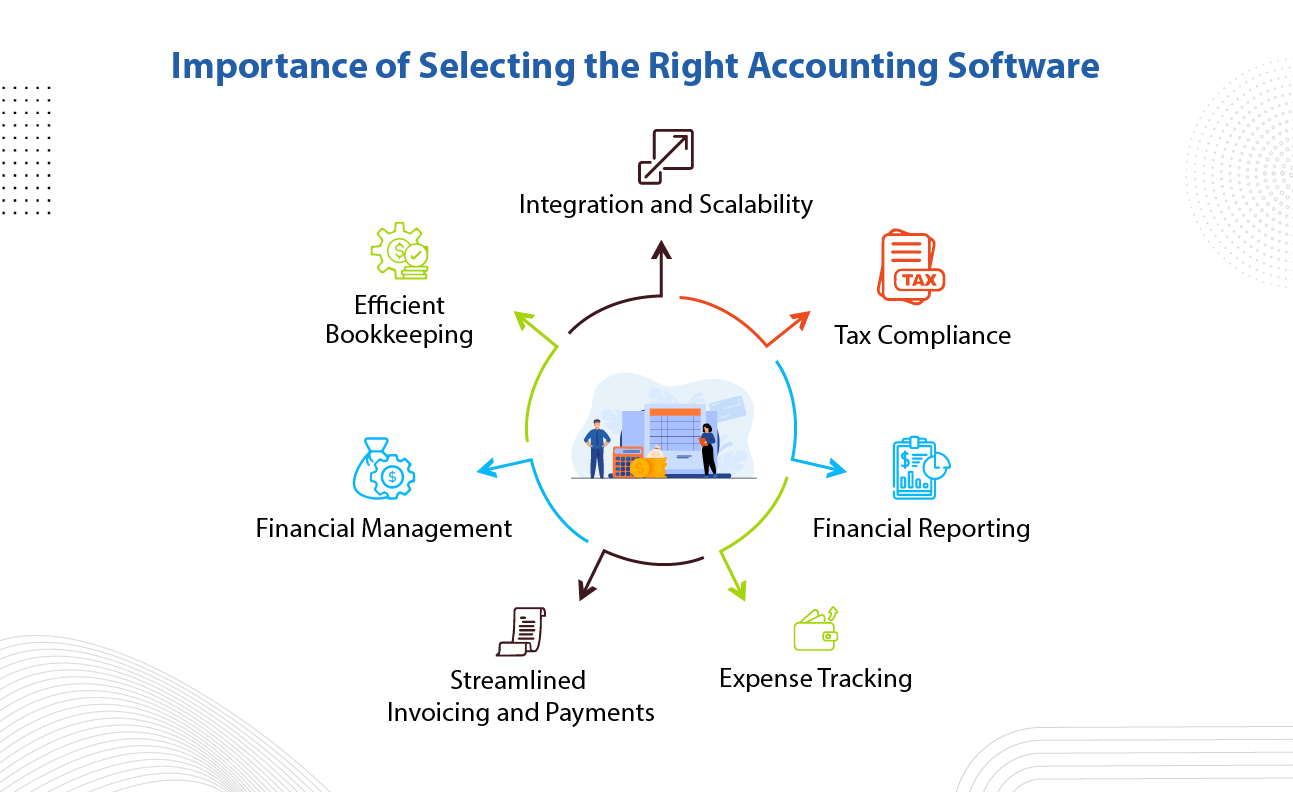
Choosing the right accounting software provider is one of the most important decisions a business can make. The right platform can streamline operations, improve financial accuracy, and provide real-time insights that drive smarter decisions. On the other hand, selecting the wrong provider can lead to inefficiencies, costly errors, and even compliance risks.
With so many accounting software options available—ranging from simple tools for small businesses to advanced enterprise solutions—knowing how to compare providers effectively is essential. This comprehensive guide will walk you through everything you need to consider to make a confident and informed choice.
Why Comparing Accounting Software Providers Matters
Accounting software is not just a tool—it’s the backbone of your financial operations. It affects how you:
- Track income and expenses
- Generate financial reports
- Manage taxes and compliance
- Handle payroll and invoicing
- Integrate with other business systems
A poor choice can slow down your workflow, create data inaccuracies, and limit your business growth. That’s why a structured comparison process is critical.
Step 1: Understand Your Business Needs
Before comparing providers, you must clearly define your requirements.
Ask yourself:
- What size is your business? (startup, SME, enterprise)
- Do you need basic bookkeeping or advanced financial management?
- Will multiple users access the system?
- Do you require multi-currency or international tax support?
- What integrations are necessary (CRM, ERP, eCommerce)?
Example Needs by Business Type:
- Freelancers: invoicing, expense tracking, tax reports
- Small businesses: payroll, inventory, reporting
- Enterprises: advanced analytics, compliance, automation
Understanding your needs helps you filter out unsuitable options quickly.
Step 2: Evaluate Core Features
Not all accounting software is created equal. Focus on essential features first.
Must-Have Features:
- General ledger
- Accounts payable and receivable
- Bank reconciliation
- Financial reporting (P&L, balance sheet, cash flow)
- Tax management
Advanced Features:
- Automation and AI insights
- Inventory management
- Budgeting and forecasting
- Multi-entity support
- Custom reporting dashboards
Avoid paying for features you don’t need, but ensure the software can scale as your business grows.
Step 3: Compare Ease of Use
Even the most powerful software is useless if it’s difficult to use.
Key usability factors:
- Clean and intuitive interface
- Simple navigation
- Minimal learning curve
- Availability of tutorials and documentation
Why it matters:
User-friendly software reduces training time, minimizes errors, and improves team productivity.
Step 4: Check Integration Capabilities
Your accounting software should work seamlessly with other tools.
Common integrations:
- CRM systems
- Payment gateways
- Payroll systems
- Inventory management tools
- eCommerce platforms
Questions to ask:
- Does the provider offer API access?
- Are integrations native or third-party?
- How reliable are these integrations?
Strong integration capabilities ensure a connected and efficient workflow.
Step 5: Assess Pricing and Value
Pricing is often a deciding factor, but it should not be the only one.
Pricing models:
- Subscription-based (monthly/yearly)
- One-time license fee
- Tiered pricing based on features or users
Hidden costs to watch for:
- Setup fees
- Training costs
- Add-ons and upgrades
- Customer support fees
Tip:
Focus on value, not just price. A slightly more expensive solution may save money in the long run through efficiency and automation.
Step 6: Evaluate Security and Compliance
Financial data is highly sensitive, so security is non-negotiable.
Key security features:
- Data encryption
- Multi-factor authentication (MFA)
- Regular backups
- Role-based access control
Compliance considerations:
- Local tax regulations
- International accounting standards (e.g., IFRS, GAAP)
- Audit trails
Ensure the provider meets all relevant legal and regulatory requirements.
Step 7: Review Customer Support
Reliable customer support can make a huge difference, especially during implementation.
Support options:
- Live chat
- Email support
- Phone support
- Knowledge base and community forums
What to look for:
- Response time
- Availability (24/7 or limited hours)
- Quality of assistance
Good support ensures you can resolve issues quickly and keep your business running smoothly.
Step 8: Analyze Scalability
Your accounting software should grow with your business.
Consider:
- Can the software handle increased transaction volume?
- Does it support additional users?
- Are there advanced features available as you scale?
Choosing scalable software prevents the need for frequent migrations.
Step 9: Check Cloud vs. On-Premise Options
Accounting software typically comes in two deployment types.
Cloud-Based Software:
- Accessible from anywhere
- Automatic updates
- Lower upfront costs
- Requires internet connection
On-Premise Software:
- Greater control over data
- One-time purchase
- Requires maintenance and IT support
Most modern businesses prefer cloud-based solutions due to flexibility and convenience.
Step 10: Read Reviews and Case Studies
Real user experiences provide valuable insights.
Where to look:
- Software review websites
- Business forums
- Social media
- Case studies on provider websites
What to analyze:
- Common complaints
- Strengths highlighted by users
- Industry-specific feedback
This helps you identify potential issues before committing.
Step 11: Request Demos and Free Trials
Never choose software without testing it.
During the trial:
- Explore key features
- Test usability
- Check performance
- Evaluate reporting capabilities
Pro Tip:
Involve your accounting team in the testing process—they will be the primary users.
Step 12: Compare Vendor Reputation
The provider behind the software is just as important as the product itself.
Factors to consider:
- Years in business
- Market reputation
- Client base
- Financial stability
A reputable vendor is more likely to offer reliable updates, support, and long-term service.
Step 13: Consider Customization Options
Every business is unique, and your accounting software should reflect that.
Customization features:
- Custom reports
- Configurable dashboards
- Workflow automation
- User permissions
Flexible software allows you to tailor it to your specific needs.
Step 14: Evaluate Implementation Process
Implementation can be complex, especially for large businesses.
Key considerations:
- Data migration support
- Setup time
- Training availability
- Technical assistance
A smooth implementation process reduces downtime and errors.
Step 15: Create a Comparison Matrix
To make decision-making easier, create a comparison table.
Example Criteria:
- Features
- Pricing
- Ease of use
- Support
- Security
- Scalability
Assign scores to each provider and compare them objectively.
Best Practices for Comparing Accounting Software Providers
1. Prioritize Business Needs
Don’t get distracted by flashy features—focus on what you truly need.
2. Involve Key Stakeholders
Include finance teams, IT staff, and management in the evaluation process.
3. Take Your Time
Avoid rushing the decision. A thorough evaluation leads to better outcomes.
4. Think Long-Term
Choose a solution that supports future growth and expansion.
5. Test Before You Commit
Always use demos or trials to validate your choice.
Common Mistakes to Avoid
1. Choosing Based on Price Alone
Cheap software may lack essential features or support.
2. Ignoring User Experience
Complex systems lead to errors and inefficiencies.
3. Overlooking Integration Needs
Disconnected systems create operational challenges.
4. Skipping Security Checks
This can expose your business to data breaches.
5. Not Planning for Growth
Non-scalable solutions limit your business potential.
Benefits of Choosing the Right Accounting Software Provider
Improved Financial Accuracy
Automation reduces manual errors and improves data reliability.
Increased Efficiency
Streamlined processes save time and resources.
Better Decision-Making
Real-time insights enable smarter business strategies.
Enhanced Compliance
Proper tools help you meet regulatory requirements.
Business Growth Support
Scalable systems adapt to your evolving needs.
Final Thoughts
Comparing accounting software providers effectively requires more than just reviewing features and pricing. It involves a deep understanding of your business needs, careful evaluation of options, and thorough testing before making a decision.
By following a structured approach—defining your requirements, analyzing features, assessing usability, and considering long-term scalability—you can confidently choose a provider that aligns with your goals.
Remember, the right accounting software is an investment in your business’s future. Take the time to compare wisely, and you’ll gain a powerful tool that enhances efficiency, accuracy, and growth.